The Ultimate Guide to PDF Optimization — Size, Speed & Repair
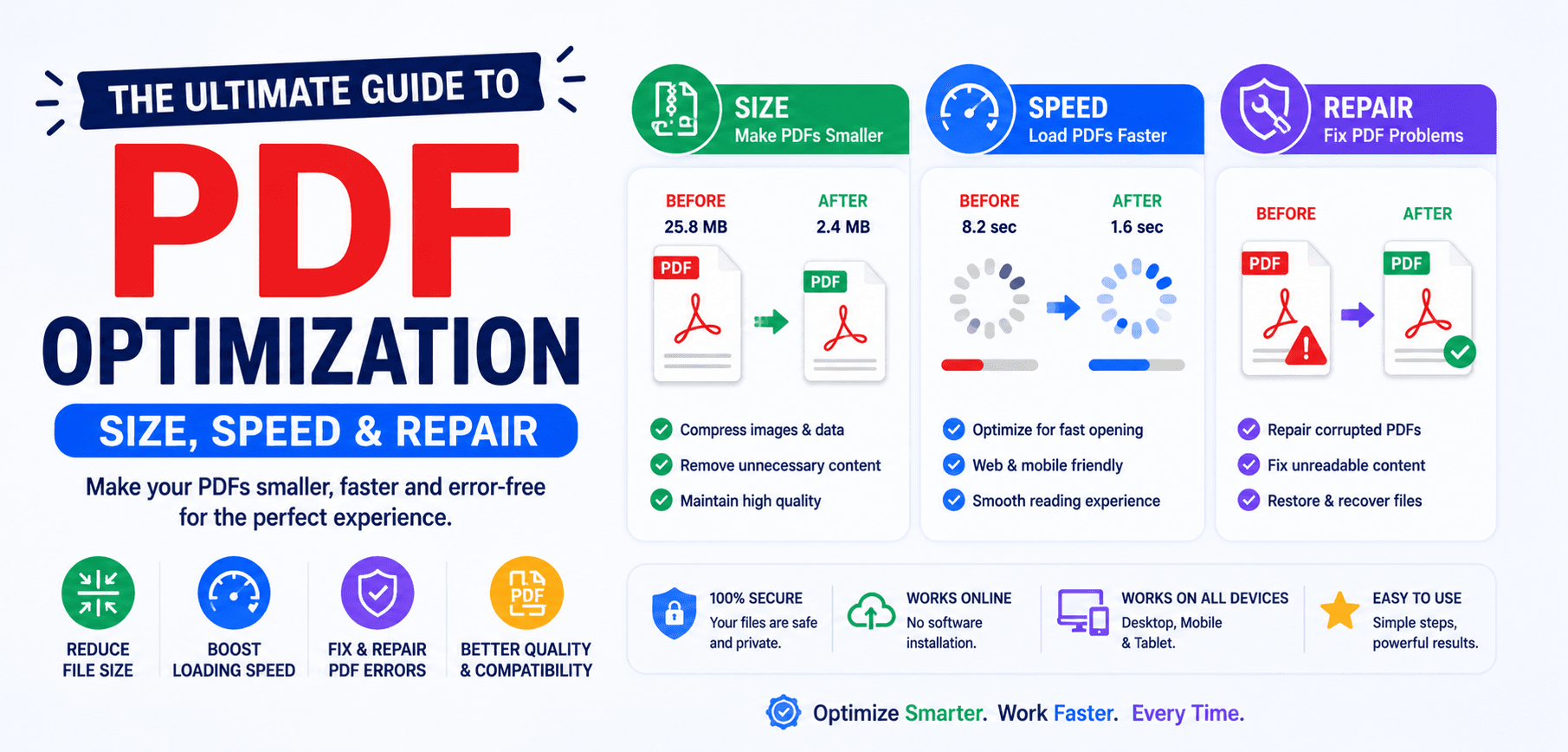
Are your PDF files too massive to attach to an email? Do they take minutes to load on your website, driving users away? Or perhaps you have a critical document that refuses to open due to corruption. Welcome to the ultimate masterclass in PDF optimization. In this comprehensive guide, we'll dive deep into the algorithms that power PDF compression, explore how to salvage broken files, and uncover the hidden metadata that could be compromising your privacy.
1. The Mechanics of PDF Compression
Have you ever wondered why a simple text document exported from Microsoft Word can sometimes result in a 50MB PDF file? The answer lies in how the Portable Document Format handles internal assets. PDFs are essentially containers. They don't just hold text; they encapsulate high-resolution images, full font files, color profiles, and complex vector streams.
When you use a high-quality PDF Compressor, the software performs several sophisticated operations simultaneously:
Image Downsampling
If you embed a 4000x3000 pixel photograph into a PDF, the raw data is stored. Compression algorithms analyze the actual display size of the image in the document and downsample the resolution to match, saving massive amounts of space.
Font Subsetting
Instead of embedding a 5MB font file that contains thousands of glyphs, optimizers rewrite the PDF to only include the specific characters actually used in the document.
2. Repairing Corrupted PDF Documents
A PDF file relies on a strict internal cross-reference table (XREF). This table acts as a map, telling PDF viewers exactly where to find every font, image, and text block within the binary code of the file. If a file transfer drops a few packets, or an application crashes during save, this XREF table becomes corrupted. The result? A "File cannot be opened" error.
Our PDF Repair Tool bypasses the corrupted cross-reference table. It deeply scans the raw binary data of the file, manually locates the object streams (images, text dictionaries), and completely rebuilds the XREF table from scratch. While heavily truncated files may lose some pages, this method successfully salvages data from over 90% of corrupted PDFs.
3. The Hidden Dangers of PDF Metadata
When you create a PDF, the software automatically injects Extensible Metadata Platform (XMP) data into the file. This often includes your full name, the operating system you are using, the exact time of creation, and sometimes even the GPS coordinates if images were inserted directly from a smartphone.
Privacy Case Study
In numerous high-profile legal cases and journalism leaks, whistleblowers have been compromised simply because they shared a PDF without stripping its metadata. The document's author field traced right back to their personal computer.
Before distributing sensitive files, always use a Metadata Editor. You can inspect exactly what is hidden inside your PDF and securely wipe the Author, Title, Subject, and custom XMP tags in a single click, guaranteeing your anonymity.
4. Web Optimization (Linearization)
If you host PDFs on your website, you must ensure they are "Linearized" or "Fast Web View" enabled. Standard PDFs store their structural data at the very end of the file. This means a browser must download the entire 20MB file before it can display page 1.
Linearization reorganizes the internal structure of the PDF so that the data for the first page appears at the beginning of the file. This allows browsers to stream the PDF, displaying the first page instantly while the rest of the document downloads in the background. Our Advanced PDF Optimizer automatically linearizes your documents as it compresses them.
5. Essential Optimization Tools
If you work heavily with PDFs, it is beneficial to have a suite of tools at your disposal. Here is a quick breakdown of the tools that will save you time and space:
- Compressors: For shrinking large files before sending them over email. Look for tools that allow you to adjust the compression ratio based on your needs.
- Redaction Tools: If your PDF contains sensitive information like social security numbers or private financials, redaction tools permanently erase the text from the document, ensuring it can't be recovered or searched.
- Metadata Editors: Crucial for maintaining privacy. They let you inspect and wipe the invisible XMP data injected by software like Word or Illustrator.
Related Articles
Frequently Asked Questions
Will I lose text quality when compressing?
Absolutely not. Text and vector graphics are mathematically preserved. Only raster images (like photos) are compressed based on the optimization level you select.
Can any broken PDF be repaired?
Most files with structural corruption (broken XREF tables) can be fixed. However, if the file is 0 bytes, heavily encrypted, or physically missing data chunks due to a dropped connection, those specific missing sections cannot be conjured from thin air.
Is it safe to upload confidential files for optimization?
Yes. SmartPDFs Pro uses bank-grade AES-256 TLS encryption during transit. Files are processed entirely in memory or automatically purged from our temporary servers immediately after your session ends. We do not retain or read your data.
What is the maximum file size I can optimize?
Free users can optimize files up to 50MB. Premium users enjoy a massive 2GB file limit, perfect for heavy print-ready architectural plans or extensive medical records.
Ready to optimize your PDFs?
Experience the power of advanced compression, structural repair, and metadata sanitization in your browser.