How to Crop Meesho Labels Without Invoice (Label Only)
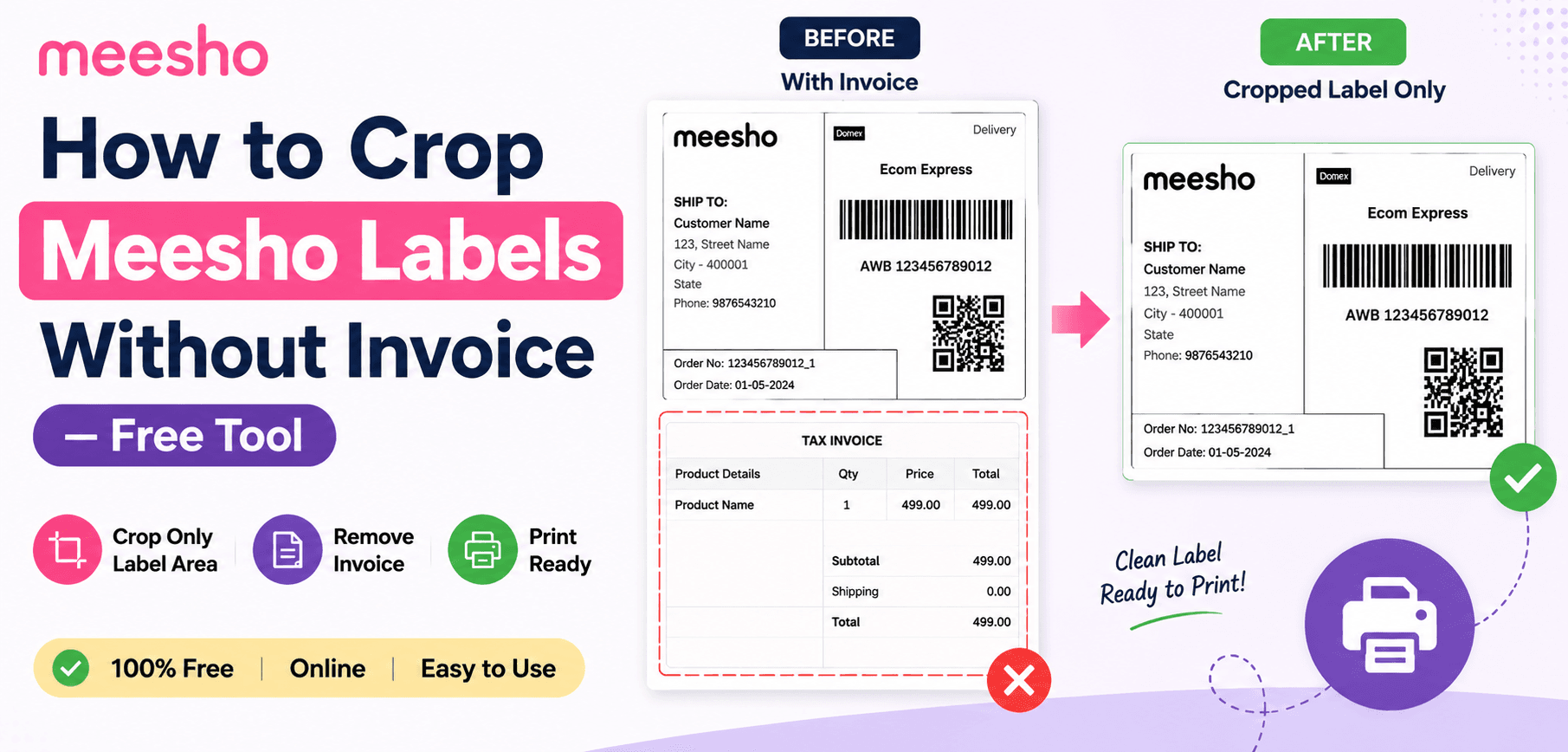
Not every Meesho seller wants to print the tax invoice. If you are fulfilling hundreds of low-margin orders daily, printing an extra 4x6 thermal sticker just for the tax invoice doubles your thermal paper consumption.
In many warehouse workflows, the invoice is either sent digitally, printed on cheap A4 paper separately, or completely omitted depending on local tax logistics. In this guide, we will show you how to use advanced PDF bounding-box exclusion to extract ONLY the shipping barcode section of the A4 page, entirely dropping the invoice.
1. The Economics of Thermal Printing
Let's break down the math. A standard roll of 4x6 inch (100x150mm) thermal labels contains 400 stickers and costs approximately ₹150 to ₹200. That's about ₹0.40 per sticker.
If you dispatch 500 orders a day, printing both the label and the invoice requires 1000 stickers. That's ₹400 in daily label costs. By using a "Label Only" extraction tool, you immediately cut that cost down to ₹200 per day. Over a year, that is a saving of over ₹73,000—pure profit added directly back to your bottom line, simply by changing how you process a PDF.
2. Split vs. Extract Cropping
It is important to understand the technical difference between our two Meesho tools:
Crop with Invoice (Split)
Takes 1 A4 page and generates 2 thermal pages (Page A is the label, Page B is the invoice). Used by sellers who put the invoice inside the bag.
Crop Label Only (Extract)
Takes 1 A4 page and generates 1 thermal page (just the label). The bottom half of the A4 page is entirely discarded.
3. How to Extract Labels in 3 Clicks
Ready to save paper and speed up dispatch? Here is the exact workflow:
- 1
Download Bulk Orders
Export your pending orders from the Meesho Supplier Panel as a single combined PDF.
- 2
Upload to the "Label Only" Cropper
Navigate to the SmartPDFs Pro Meesho Cropper and select the "Crop Label Only" tool option. Drag and drop your file.
- 3
Automated Discard
The algorithm will map the top bounding box for the shipping details and completely discard the lower Y-coordinates containing the invoice.
- 4
Print Directly
Open the new PDF. If you uploaded 50 A4 pages, the new file will only have 50 pages (not 100). Hit print, ensuring the layout is set to 4x6.
Frequently Asked Questions
Is it legal to ship without the invoice?
Platform rules change frequently, but many logistics partners only scan the primary shipping barcode. Always verify Meesho's current seller guidelines regarding physical tax invoices inside the package.
Does the label size change when I drop the invoice?
No. The top half of the Meesho A4 PDF is already formatted perfectly to the 1.5 aspect ratio required for 4x6 (100x150mm) printing. It fits perfectly.
What if some pages in my PDF are different sizes?
Our algorithm calculates the Y-axis split based on percentages, not static pixels. So even if the PDF generation shifts slightly, it reliably cuts at the halfway point.
Cut Your Thermal Paper Costs in Half
Extract just the shipping label and discard the invoice automatically with zero loss in barcode quality.