How to Crop Meesho Labels with Invoice for Thermal Printing
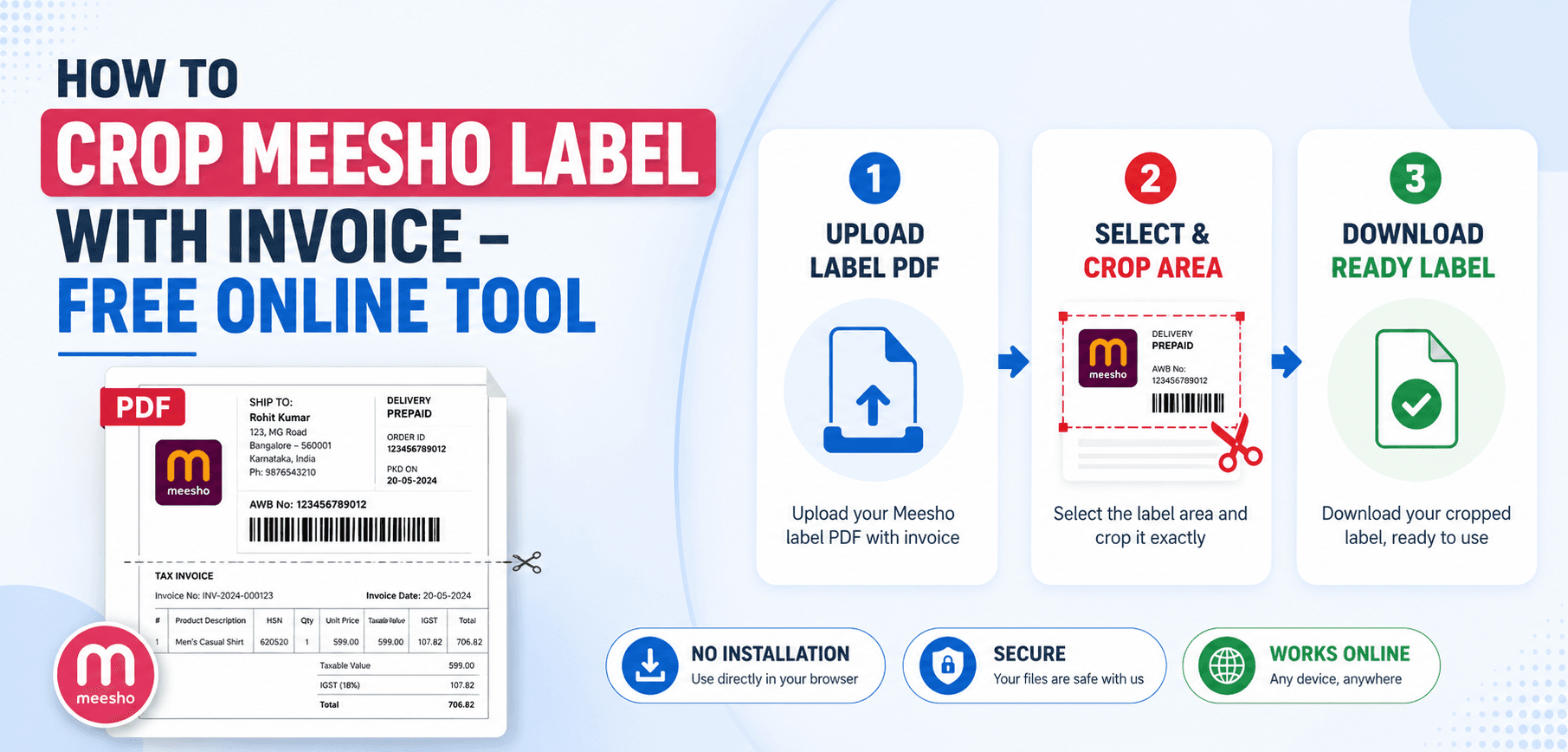
Scaling a Meesho e-commerce business comes with operational bottlenecks. One of the most frustrating bottlenecks is fulfilling orders using standard A4 laser printers. By default, the Meesho seller panel generates a combined PDF containing the shipping label (the barcode and address) at the top of an A4 page, and the tax invoice at the bottom.
Printing these on A4 paper requires folding, tearing, taping, or using transparent pouches—a massive waste of time and money. Professional sellers use 4x6 inch (100x150mm) thermal printers. In this guide, we will show you exactly how to automate the cropping process to fit both the label and the invoice perfectly onto standard thermal paper rolls.
1. The A4 vs Thermal Printer Dilemma
When you download your orders from the Meesho Supplier Panel, you receive a multipage PDF. Each page is formatted as an A4 document. The top half is the shipping label; the bottom half is the tax invoice.
If you send this A4 document directly to a thermal printer (like a TSC TE244 or a TVS RP 3150), the printer will attempt to shrink the entire A4 page to fit onto a 4-inch wide roll. The result? The barcode shrinks to microscopic proportions, rendering it unscannable by Delhivery or Ecom Express delivery agents. Your package will be rejected at the warehouse.
Standard Thermal Size
Thermal printers use 4x6 inch (roughly 100x150mm) sticker rolls. To print successfully, your PDF pages must match this exact aspect ratio.
The Split Requirement
You must cut the A4 page in half horizontally. Page 1 becomes the label (100x150mm), and Page 2 becomes the invoice (100x150mm).
2. How the Automated Cropping Tool Works
Manually using Adobe Acrobat or Photoshop to crop hundreds of A4 pages in half is an immense waste of time. Our Meesho Label & Invoice Cropper uses a pre-programmed algorithm designed specifically for Meesho's PDF layout.
When you upload your PDF, the tool instantly calculates the exact coordinates of the label section (top half) and the invoice section (bottom half). It then mathematically adjusts the PDF CropBox and MediaBox parameters. It splits every single A4 page into two distinct 4x6 pages without touching the underlying vector data. This ensures the barcode remains 100% crisp and scannable.
3. Step-by-Step Workflow for Sellers
Streamline your order processing by following these steps:
Download Bulk Orders
Go to your Meesho Supplier Panel, select all pending orders, and click "Download Labels". This will generate a single PDF containing all A4 pages.
Upload to the Cropper
Drag and drop the bulk PDF into the SmartPDFs Pro Meesho Cropper. Make sure you select the "Crop with Invoice" option.
Instant Processing
Within seconds, the tool will split the document. If you uploaded 50 A4 pages, the output will be a 100-page PDF formatted exactly for 4x6 thermal paper.
Print Directly
Open the downloaded file, hit Ctrl+P, ensure your paper size is set to 4x6 (100x150mm), and select "Fit to Printable Area". Print!
Frequently Asked Questions
Does cropping reduce barcode quality?
No. Because the tool alters the PDF bounding boxes mathematically rather than rasterizing the file into an image, the barcode vector remains pristine and perfectly scannable.
Do I really need to print the invoice?
It depends on your packaging workflow. Some sellers prefer to put the invoice inside the package and the sticker on the outside. If you only want the label, use our "Crop Label Only" tool instead.
Can I upload a PDF with 500 orders?
Yes. Our browser-based WebAssembly engine can handle massive batch files. A 500-page PDF will be processed in seconds directly using your computer's RAM.
Is this tool safe for my customer data?
Absolutely. The cropping happens locally on your device. Your customer addresses, phone numbers, and order details are never uploaded to our servers.
Optimize Your Fulfillment Workflow
Stop wasting A4 paper. Format your Meesho labels and invoices perfectly for your thermal printer in one click.